
Gage tracking software: know which gage is due before your auditor does.
Every gage on one list with its cal due date and the person who looks after it. They get a reminder before it comes due, and you get the due list every Monday.
Free for 25 instruments. Unlimited users. No card.
Tracking gages the way the floor talks about them
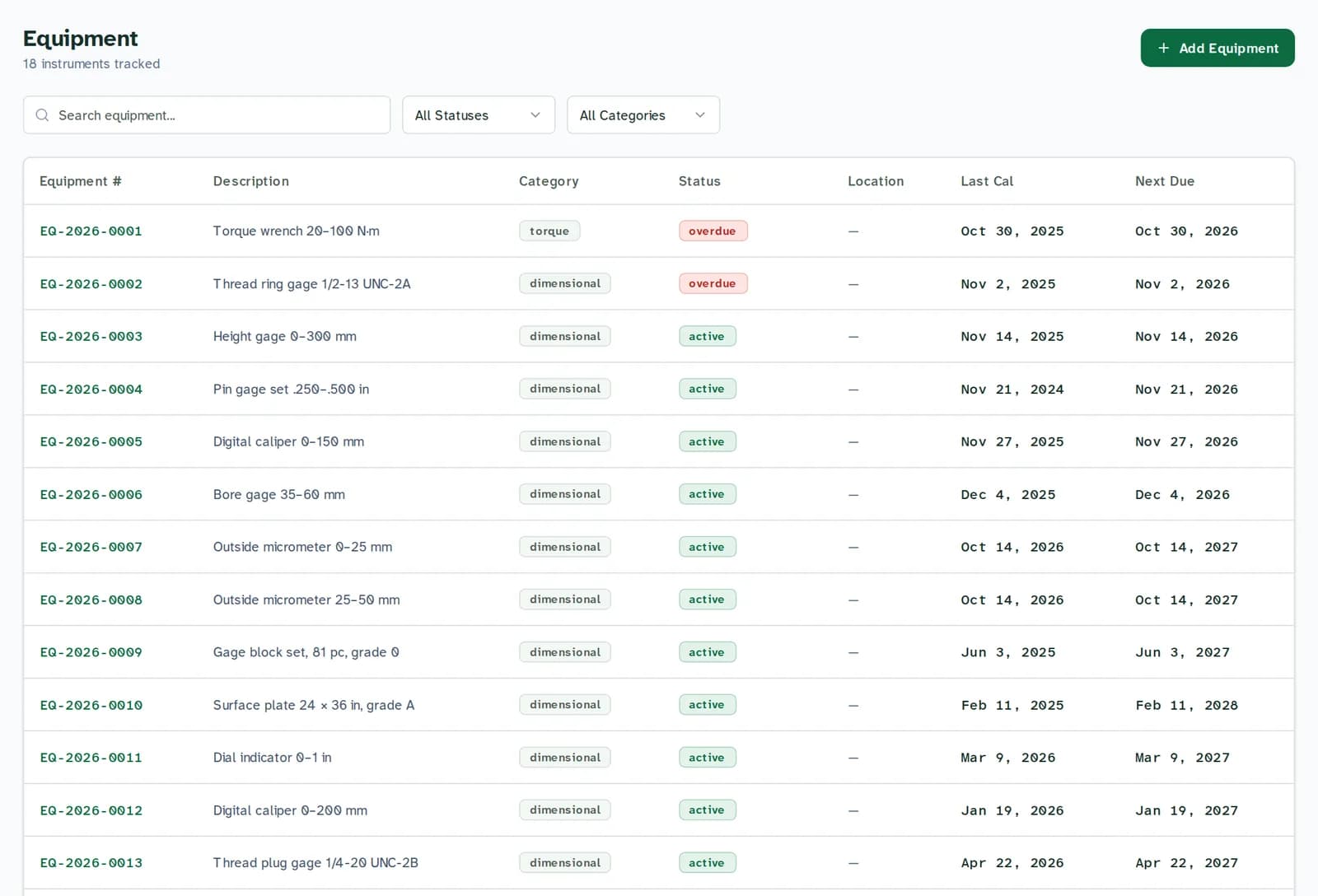
The gage list
Micrometers, calipers, pin and thread gages, height gages, torque wrenches, scales: every gage on one list with its status, last cal and cal due date.
Overdue is flagged for you when the date passes. Import reads your status column too: “out for cal”, “out of service” and “lost” come across as matching statuses.
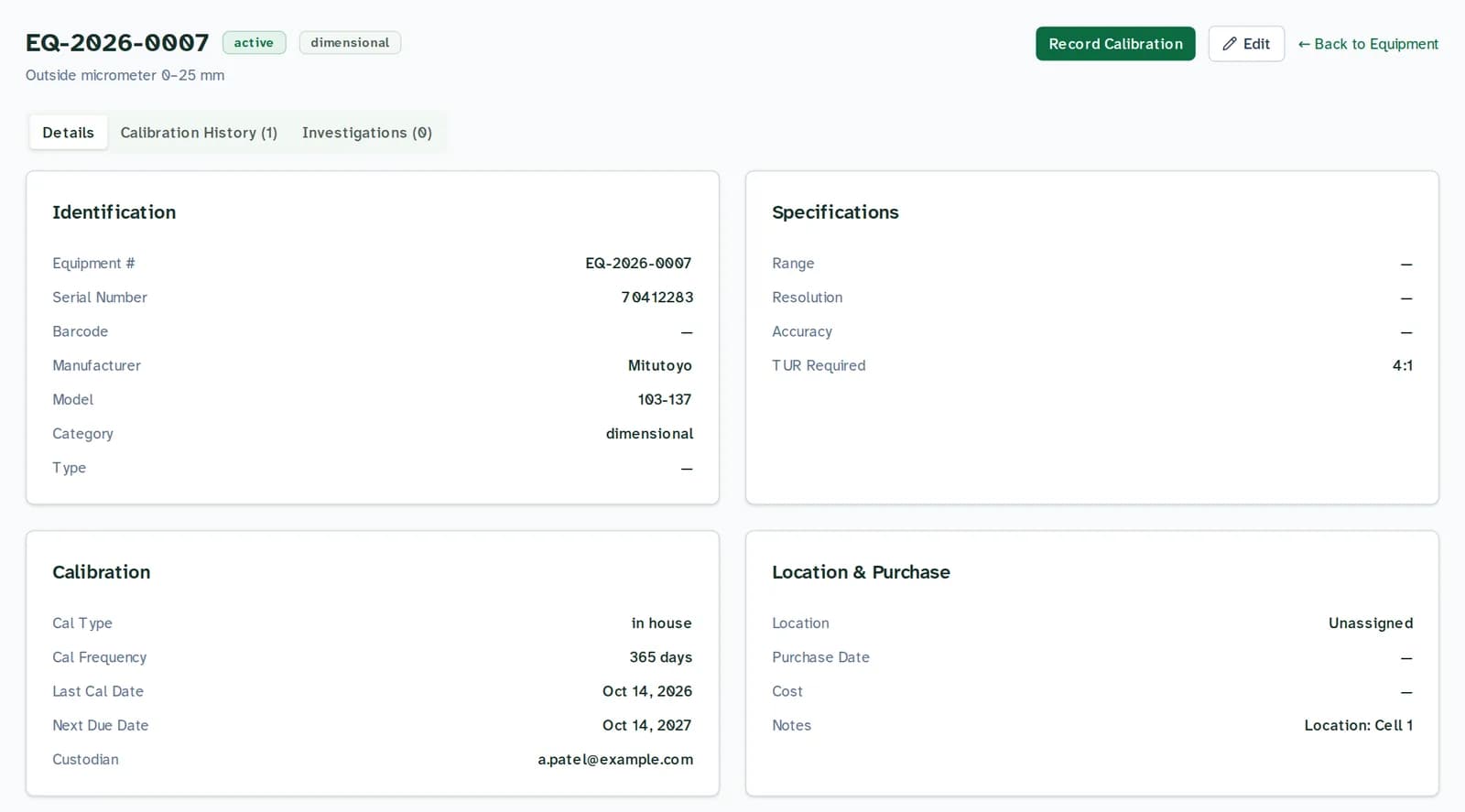
Who has each gage
Each gage record holds its custodian, serial number, interval and history. Change the custodian when a gage changes hands; the change is logged with who made it and when.
Your spreadsheet's location column comes across into each gage's notes.
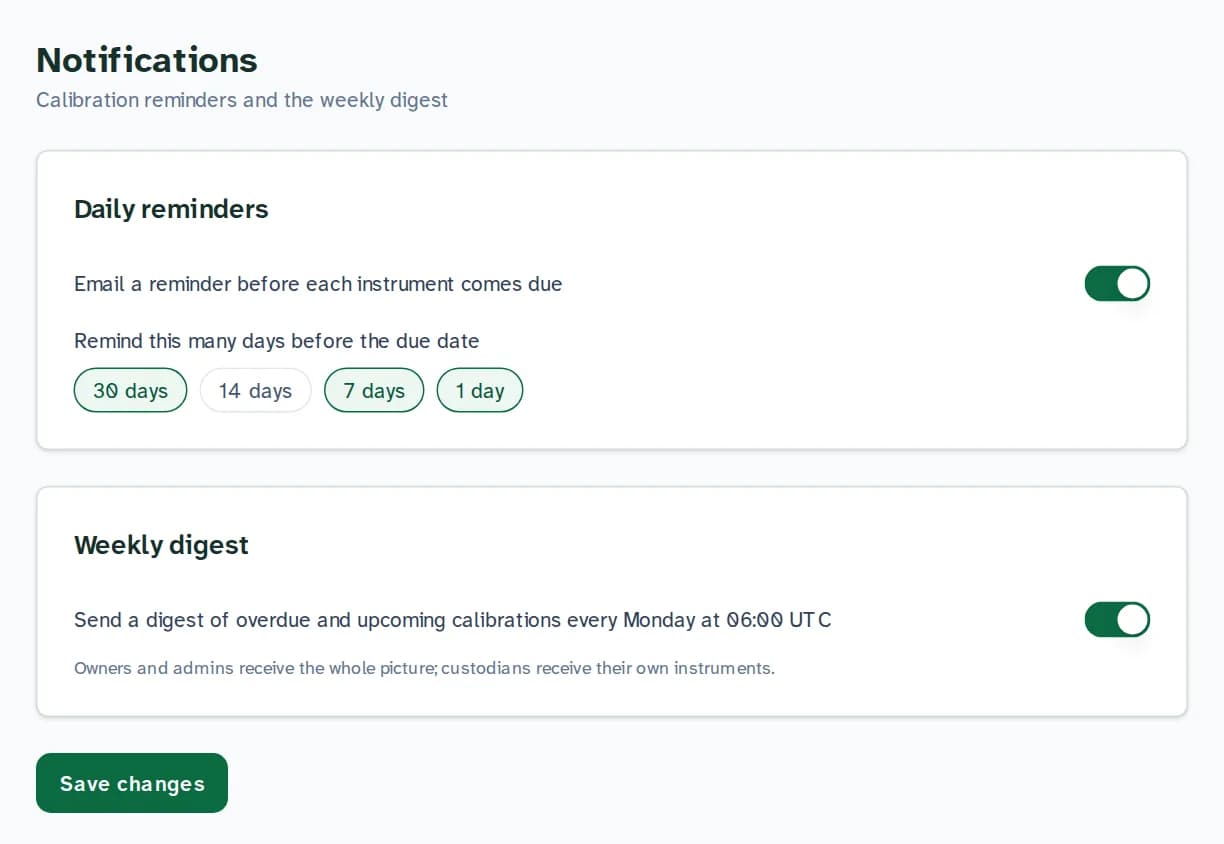
Reminders to the person holding the gage
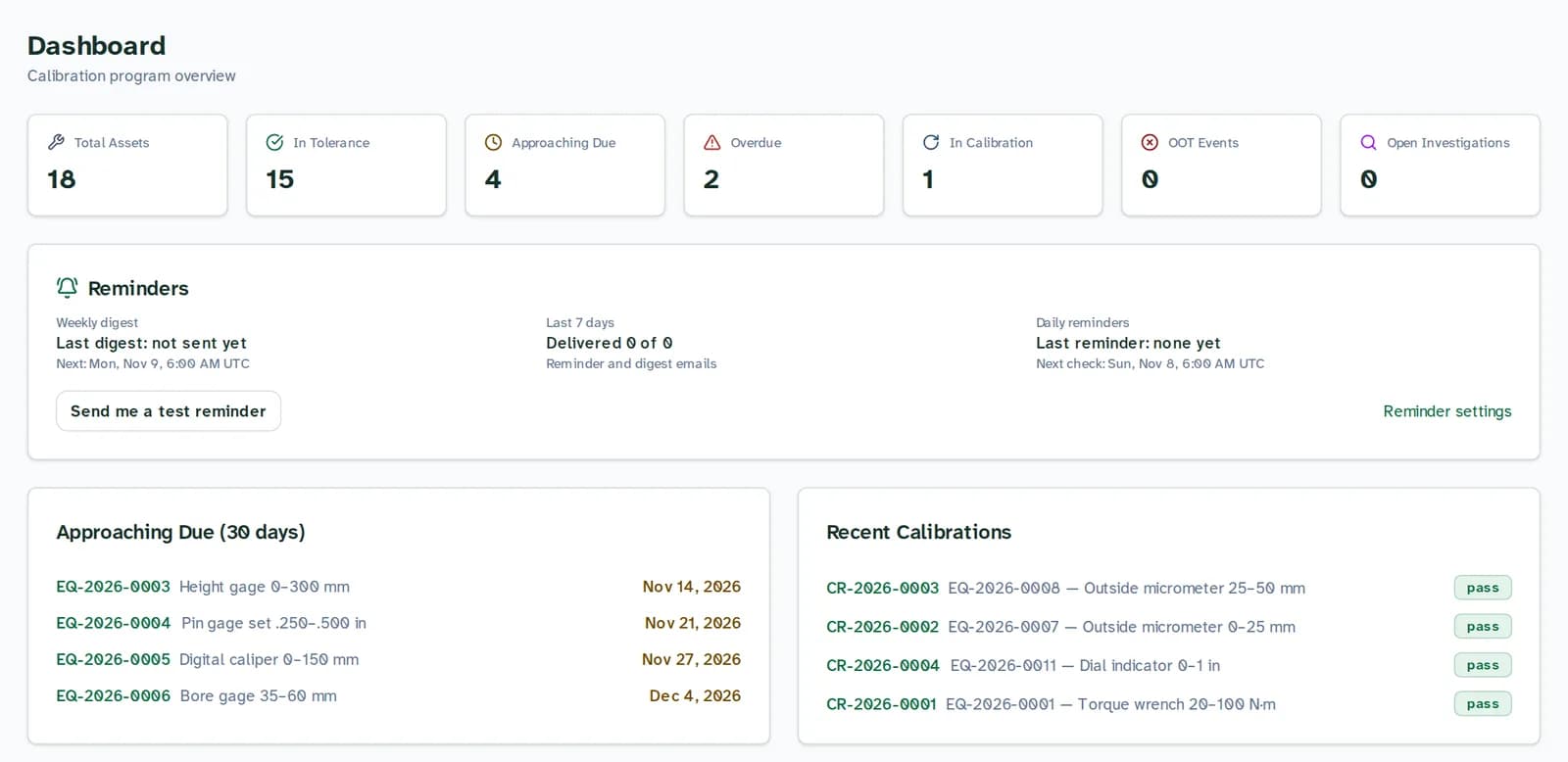
Put the custodian's email on the gage and they get a reminder before cal due, plus a Monday list of their own gages. You get the whole shop.
Bring the list you already have
Upload the gage list from Excel or CSV, including GAGEtrak or GageList exports. Columns such as Gage ID, Cal Due, Custodian and Status are matched for you; you check the mapping before anything is saved.

On the floor
- Scan a gage to open its record
- Each gage has a barcode field. Scan or type the code on the Scanner page and the gage's record opens.
- Gage or gauge?
- Same thing. Quality and metrology write “gage”, many shops write “gauge”. CalibrationOS tracks both, along with every other instrument you calibrate.
How it works
Step 1: Upload your gage list
Excel or CSV, as it is. Check the suggested column mapping, then import.
Step 2: Put a custodian on each gage
Their email on the gage is where its reminders go.
Step 3: Get the due list on Monday
Overdue, due in the next 30 days, and never calibrated, every Monday morning.
Free for 25 instruments. Unlimited users. No card.
Priced by gages, not seats
Free covers 25 instruments with unlimited users. Starter is $49 a month for 250 instruments; Professional is $149 a month for 2,500 instruments and 3 sites. Both have a 14-day trial. Every plan has unlimited users.
See every planQuestions
What is gage tracking software?
It keeps your list of gages with their calibration due dates and history, flags the ones that are overdue, and reminds the right person before a gage comes due, so an auditor never finds an out-of-date gage on the floor before you do.
Can it show who looks after each gage?
Yes. Each gage has a custodian, and reminders go to that person. When a gage changes hands, update the custodian; the change is logged with who made it and when.
Can I import my gage list from GAGEtrak or Excel?
Yes. Upload the export or spreadsheet as .xlsx, .xls or .csv. CalibrationOS suggests a field for each column and shows you what it will import before it saves anything.
Does it work with gage barcodes?
Yes. Each gage has a barcode field. Scan or type it on the Scanner page to open the gage's record, and keep printing labels on the printer you use today.
How many gages can I track for free?
25, with unlimited users and no card. Starter covers 250 for $49 a month.
Gage or gauge?
Both spellings mean the same instrument. Quality and metrology usually write “gage”; CalibrationOS works the same whichever your shop uses.
Put your gage list in today
Free for 25 instruments. Unlimited users. No card. Upload the spreadsheet you already keep.