
Calibration management software: know what's due before your auditor does.
Bring your spreadsheet or the PDF certificates your lab sends. CalibrationOS builds your gage list, works out every due date and emails you the due list each Monday.
Free for 25 instruments. Unlimited users. No card.
What CalibrationOS keeps for you
Your gage list, with every due date worked out
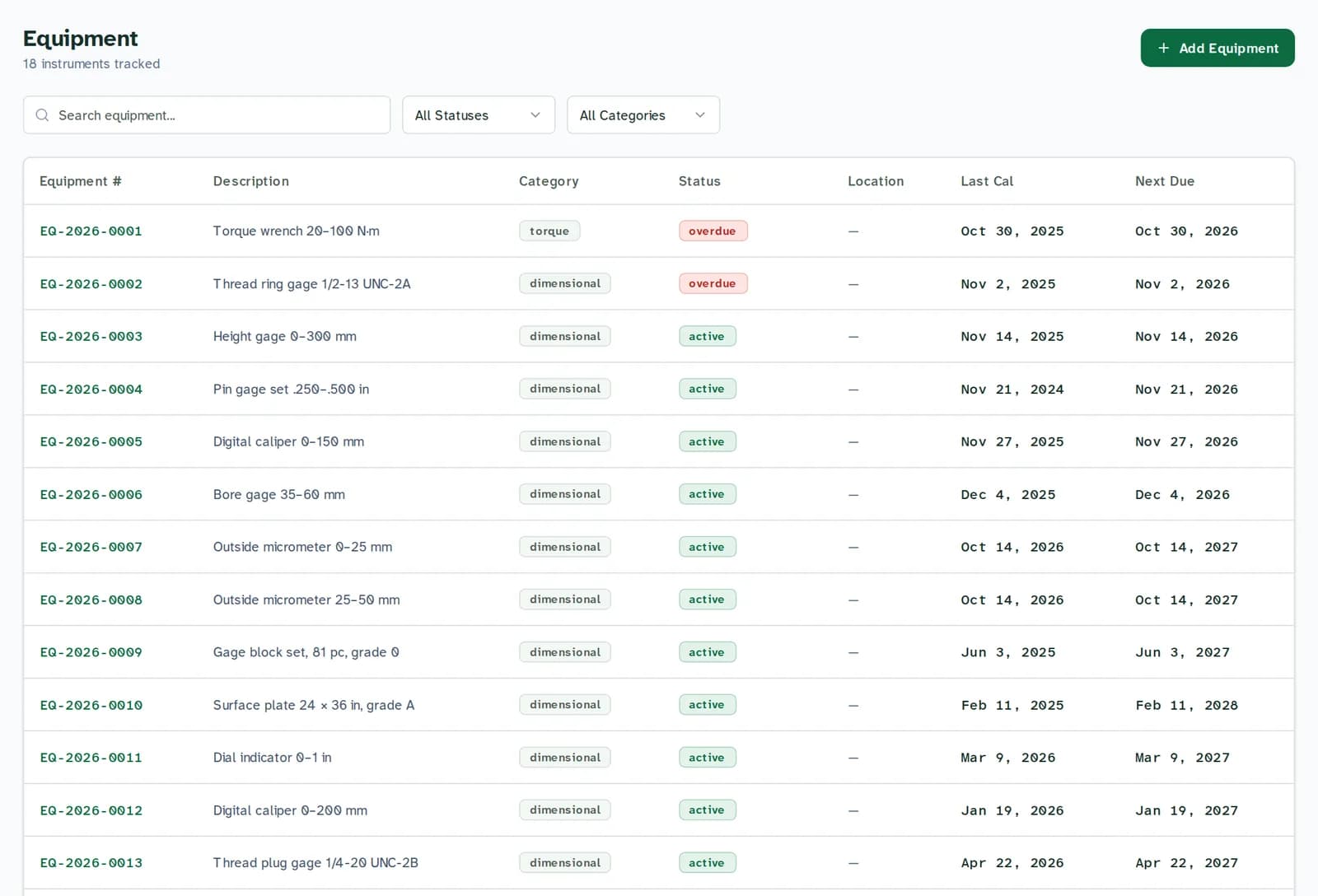
Each instrument carries its serial number, interval, last calibration and next due date. When a due date passes, the gage is marked overdue on the list and counted on the dashboard.
Search the list by number or description, and filter it by status or category.
Reminders you can check
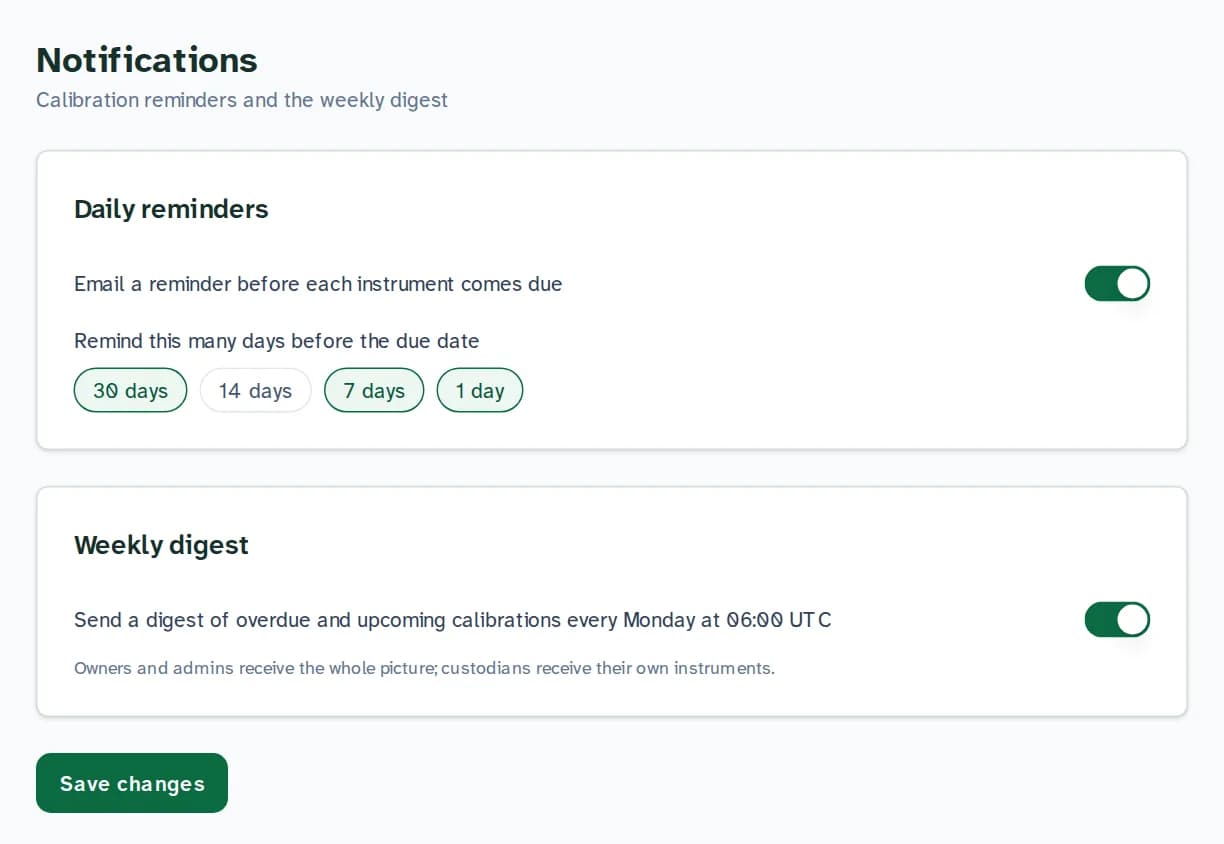
Each gage's custodian gets an email before it comes due: 30, 7 and 1 day ahead by default, and you can add 14. Every Monday at 06:00 UTC the due list goes out: owners and admins get the whole shop, custodians get their own gages.
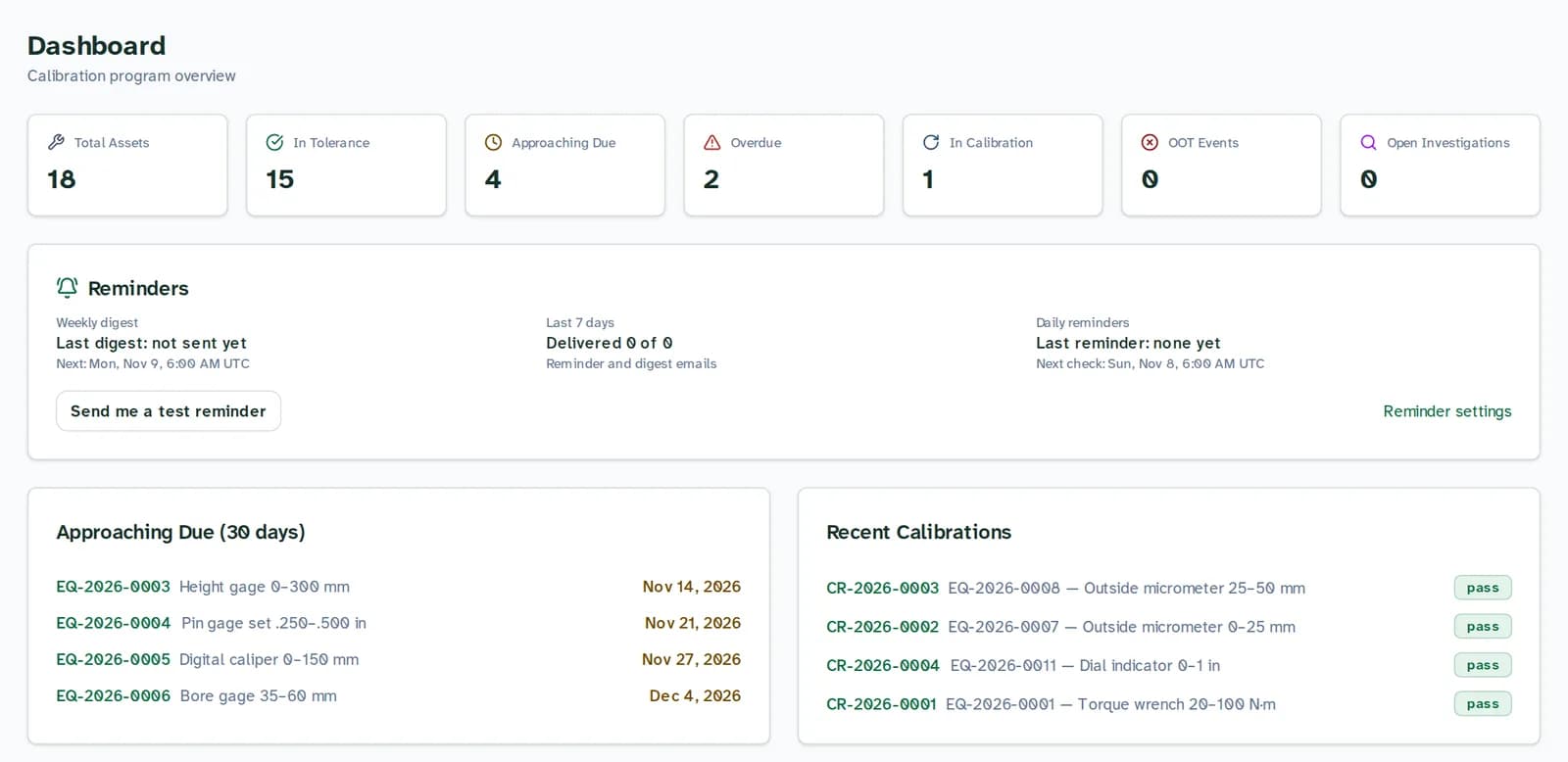
The dashboard shows when the last digest and reminder were sent, and a button sends you a test.
Certificates and history on the record
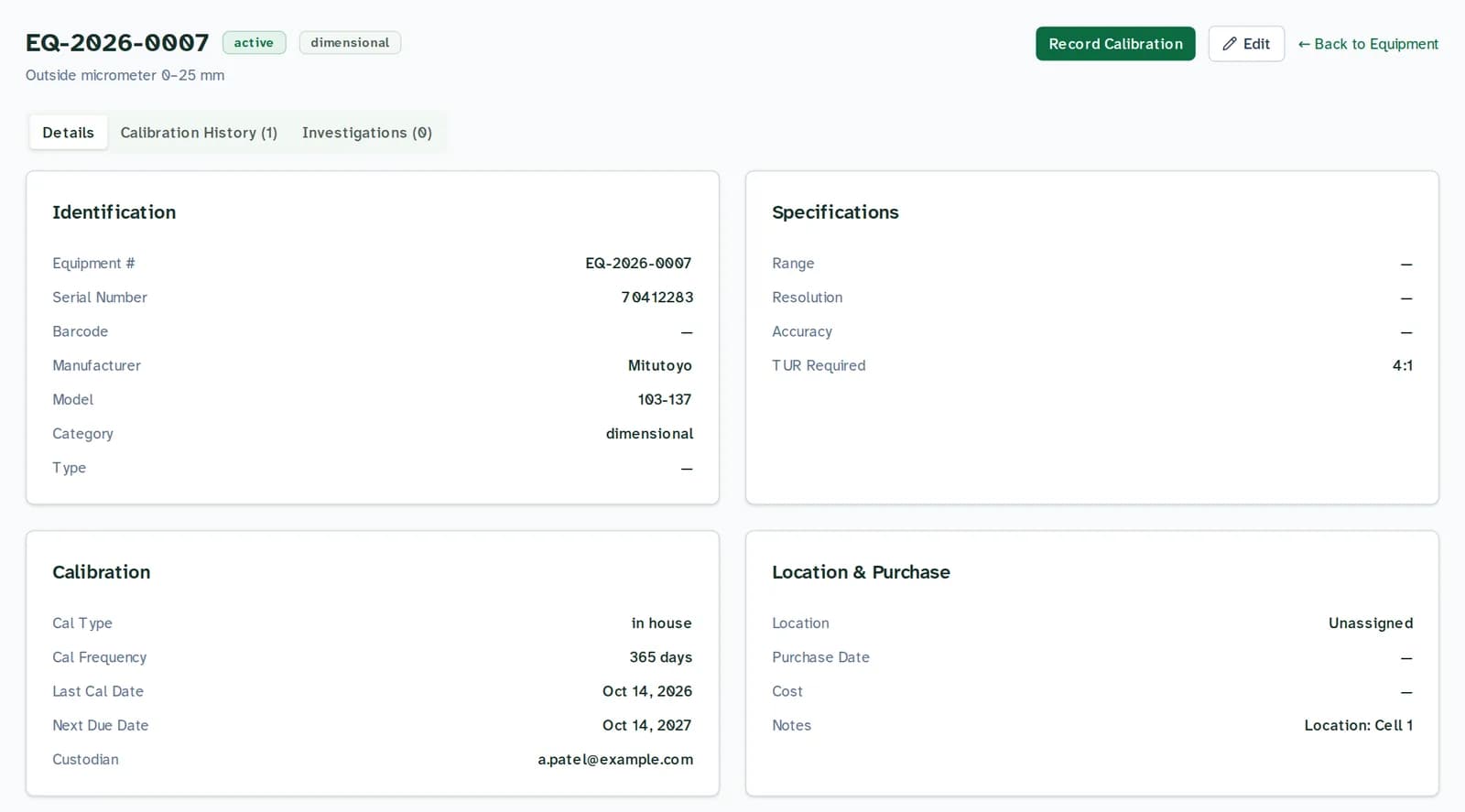
Every calibration stays on the gage: date, result, as found and as left, the lab and the certificate number.
Upload the PDF your lab sends and CalibrationOS reads it. You confirm the values before anything is recorded, and the certificate stays attached.
The records your auditor asks for
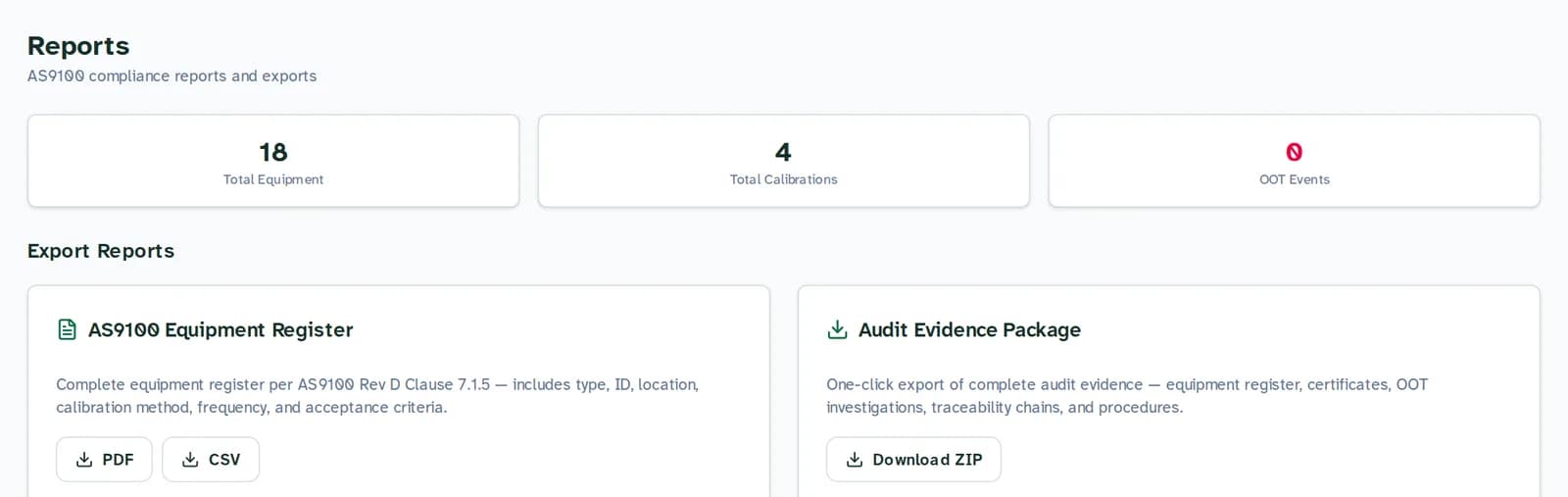
Download the equipment register as PDF or CSV, or the whole audit package as one ZIP.
Every change is logged with who made it, when, and which fields changed. Each log entry is chained to the one before it, so an edit after the fact shows up when the log is verified.
Who it is for
- The quality lead with a spreadsheet
- You run quality at a small shop or lab, the gage list lives in Excel, and there is an audit on the calendar. CalibrationOS is built for that job: register, recall, certificates and the list to hand the auditor.
- ISO 9001, AS9100 and ISO/IEC 17025
- These standards ask for calibration status, history and traceability. CalibrationOS keeps those records together and exportable, ready for your auditor to review alongside how you run the program.
- When you need more
- Drift analysis is on Starter. Uncertainty budgets, Gage R&R, electronic signatures and the API are on Professional ($149 a month).
How it works
Step 1: Bring your spreadsheet
Upload your gage list as .xlsx, .xls or .csv. CalibrationOS suggests a field for each column and shows you what it will import before it saves anything. No list yet? Download the template from the import page.
Step 2: Name who looks after each gage
Put the custodian's email on each gage. Reminders go to them before it comes due, and to an admin for any gage still waiting for a custodian.
Step 3: Read the due list on Monday
Every Monday the due list arrives by email: what is overdue, what is due in the next 30 days and what has never been calibrated. Upload the lab's certificate when a gage comes back.
Free for 25 instruments. Unlimited users. No card.
Public prices, no demo call
Free covers 25 instruments with unlimited users. Starter is $49 a month for 250 instruments; Professional is $149 a month for 2,500 instruments and 3 sites. Both have a 14-day trial. Every plan has unlimited users.
See every planQuestions
What does calibration management software do?
It keeps the list of your measuring instruments, works out when each one is due, reminds the right person before the date, and holds the calibration history and certificates an auditor asks to see. CalibrationOS does this in a web browser; there is nothing to install.
How much does CalibrationOS cost?
Free for up to 25 instruments with unlimited users and no card. Starter is $49 a month for 250 instruments and Professional is $149 a month for 2,500; both have a 14-day trial. All prices are on the pricing page.
Can I import my spreadsheet?
Yes. Upload .xlsx, .xls or .csv up to 10 MB. CalibrationOS suggests a field for each column, recognises common layouts including Vertex42 logs and GAGEtrak or GageList exports, and shows you the result before importing.
Does it read calibration certificates?
Yes. Upload the lab's PDF and CalibrationOS reads the instrument, serial number, dates and results. You review the values before anything is recorded. Free includes 10 certificates a month and Starter 100; Professional reads as many as you upload.
How does CalibrationOS help with ISO 17025 or AS9100?
CalibrationOS keeps the records those standards ask about: calibration status, history, certificates, traceability to your standards and a log of every change. Each one is ready to export when your auditor reviews your records and your process.
Can I get my data out?
Yes, on every plan. Download the equipment register as CSV or PDF, or the audit package: one ZIP with the register, a calibration summary, out-of-tolerance investigations, traceability to your standards and the audit log, each as a CSV file.
Start with your own gage list
Free for 25 instruments. Unlimited users. No card. Bring your spreadsheet and leave with a due list.