
Certificate intake
Stop retyping calibration certificates.
Upload the PDF your calibration lab sends. CalibrationOS reads it, checks it against what an auditor looks for, and shows you every value to confirm before it is recorded.
Free reads 10 certificates a month, with unlimited users and no card.
What it reads from the lab's PDF
The same fields you would type in by hand. Anything the certificate leaves out is left for you to fill in, or marked for you to confirm.
The instrument
- Maker, model and serial number
- Your asset ID, if the lab printed it
- Description and category
- Range, resolution and accuracy
The calibration
- Certificate number
- Calibration date, due date, interval and issue date, each shown next to the date as printed
- As-found and as-left condition, overall result
- Adjustments made and remarks
- Procedure and revision, technician and approver
- Temperature and humidity
The lab and its proof
- Lab name, accreditation body and accreditation number
- Reference standards used, with their IDs, certificate numbers and due dates
- Whether the certificate states traceability and measurement uncertainty
- The readings table, up to 60 rows: nominal, as found, as left, tolerance, uncertainty, pass or fail
You confirm it. Then it is recorded.
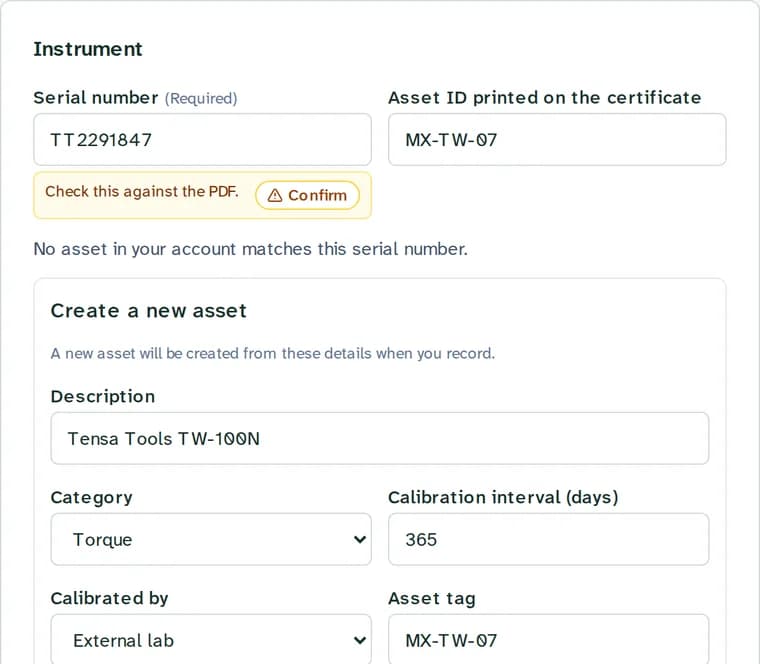
- Each certificate opens on a review screen, with the PDF on one side and the values it read on the other.
- Values that need a second look are marked Confirm. Serial number, calibration date and overall result are always marked, whatever the certificate says.
- The serial number is matched to your gage list. For a new instrument, the review screen offers to add it from the certificate.
- Any value can be corrected before you record. The date as printed stays next to the date it was read as.
It checks what your auditor checks
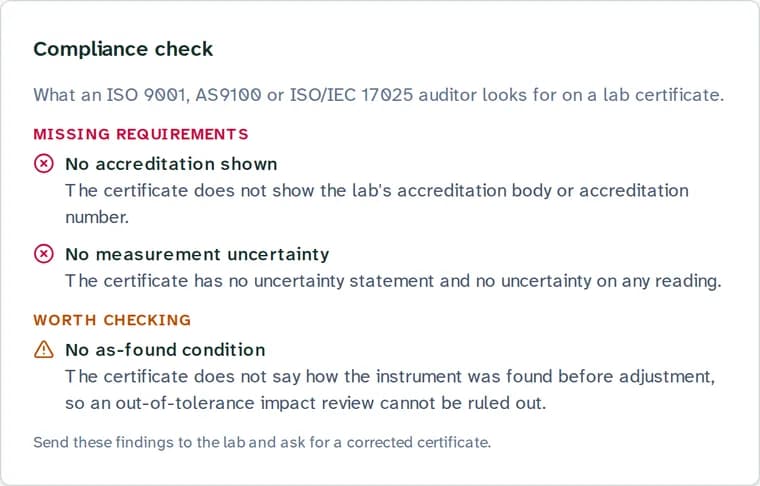
Before you record, every certificate is checked for what an ISO 9001, AS9100 or ISO/IEC 17025 auditor looks for on a lab certificate. If something is missing, you can send the findings back to the lab and ask for a corrected certificate.
Missing accreditationMissing requirement
Flags a certificate that leaves out the lab's accreditation body or accreditation number.
Missing traceabilityMissing requirement
Flags a certificate that gives neither a traceability statement nor the reference standards used.
Missing measurement uncertaintyMissing requirement
Flags a certificate with measurement uncertainty missing from both the statement and every reading.
Overdue reference standardMissing requirement
Flags a lab reference standard that was past its own calibration due date on the day your instrument was calibrated.
Implausible datesMissing requirement
Flags a calibration date in the future, or a due date on or before the calibration date.
Missing as-found conditionWorth checking
Flags a certificate that leaves out how the instrument was found before adjustment, so you can decide whether an out-of-tolerance impact review is needed.
Worked example: a torque wrench that came back adjusted
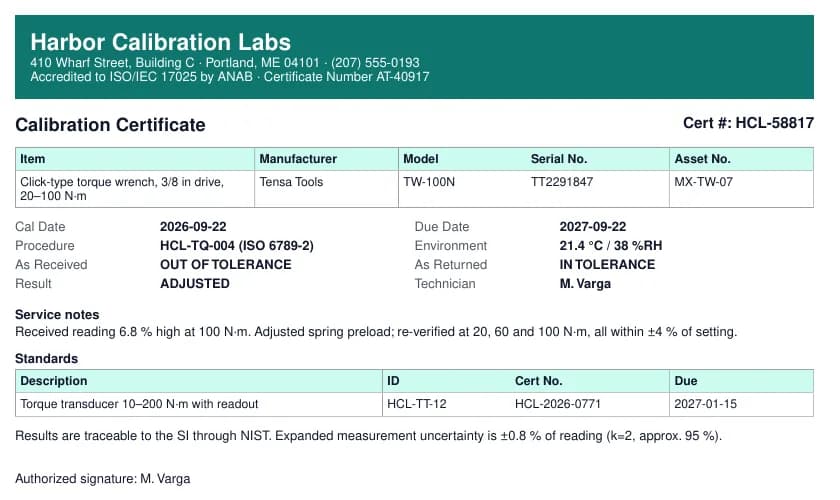
One certificate from our test set, start to finish. The lab, the people and the numbers are made up; the screens are from a test copy of CalibrationOS.
| On the certificate | On the review screen |
|---|---|
| Harbor Calibration Labs, accredited to ISO/IEC 17025 by ANAB, AT-40917 | Lab: Harbor Calibration Labs. Accreditation: ANAB, AT-40917 |
| Cert #: HCL-58817 | Certificate number: HCL-58817 |
| Tensa Tools TW-100N, serial TT2291847, asset MX-TW-07 | Instrument: Tensa Tools TW-100N, serial TT2291847, asset ID MX-TW-07, category torque |
| Cal Date 2026-09-22, Due Date 2027-09-22 | Calibration date 22 Sep 2026, due date 22 Sep 2027 |
| As Received: OUT OF TOLERANCE | As-found condition: out of tolerance |
| As Returned: IN TOLERANCE | As-left condition: in tolerance |
| Result: ADJUSTED | Overall result: adjusted |
2. You confirm the serial number, calibration date and result.
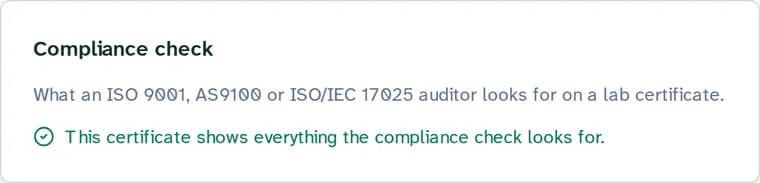
3. The compliance check passes. The certificate names its accreditation (ANAB, AT-40917), says the results are traceable to the SI through NIST, lists its reference standard (HCL-TT-12, due 2027-01-15, so it was in date), states an expanded uncertainty of ±0.8 % of reading at k=2, and gives the as-found condition.
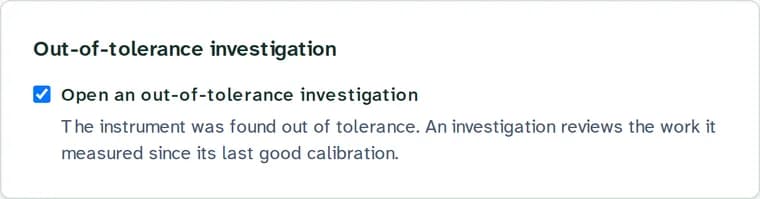
4. An out-of-tolerance (OOT) investigation is offered. The wrench was found out of tolerance, so the review screen ticks Open an out-of-tolerance investigation. The investigation is where you look at the work this wrench torqued since its last good calibration.
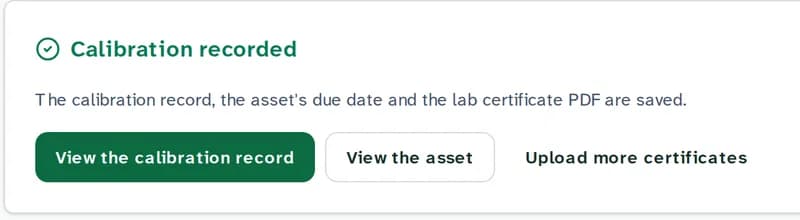
5. Confirm and record. The calibration record is saved with the lab's PDF attached, and the wrench's next due date becomes 22 September 2027, the date the lab printed.
Monthly limits by plan
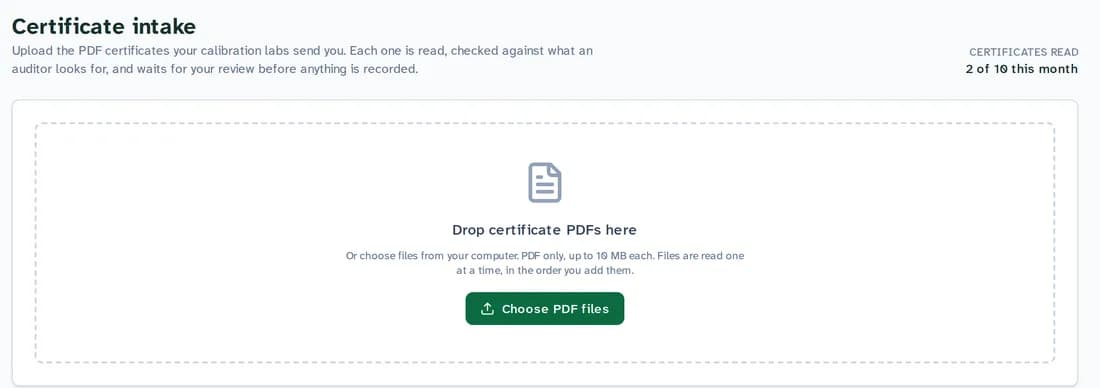
A read counts when you upload a new PDF. The count resets on the first of each month (UTC). Uploading the same file again counts once.
| Plan | Price | Certificates read | Pages per PDF |
|---|---|---|---|
| Free | Free | 10 a month | 15 |
| Starter | $49 a month | 100 a month | 25 |
| Professional | $149 a month | Unlimited | 25 |
| Enterprise | Contact us | Unlimited | 25 |
PDF files up to 10 MB each. Every plan has unlimited users.
Where your certificate goes
To read a certificate, CalibrationOS sends the PDF to Anthropic's API, where Anthropic's Claude model reads it. The PDF and what was read are stored with your account in AWS GovCloud (US-West), and the PDF stays attached to the calibration record. Each read sends that one certificate PDF; your gage list and other records stay in CalibrationOS.
Questions
Do I check every certificate before it is recorded?
Yes. Every certificate waits on a review screen. Serial number, calibration date and overall result are always marked for you to confirm against the PDF, and the calibration joins your history when you select Confirm and record.
How many certificates can I upload?
Free reads 10 certificates a month and Starter 100. Professional and Enterprise are unlimited. Each PDF can be up to 10 MB and 15 pages on Free, 25 pages on paid plans. Uploading the same file twice counts once.
Where is my certificate sent to be read?
To Anthropic's API, where Anthropic's Claude model reads the PDF. The PDF and what was read are then stored with your account in AWS GovCloud (US-West). The trust page lists everyone who handles your data.
How do I know the reading is right?
You check it on the review screen. Each value sits next to the PDF it came from, the dates show as printed beside the dates read, and any value can be corrected before you select Confirm and record.
Upload your first certificate
Free reads 10 certificates a month and tracks up to 25 instruments, with unlimited users and no card.
Limits on this page are read from the same plan settings that billing uses.